
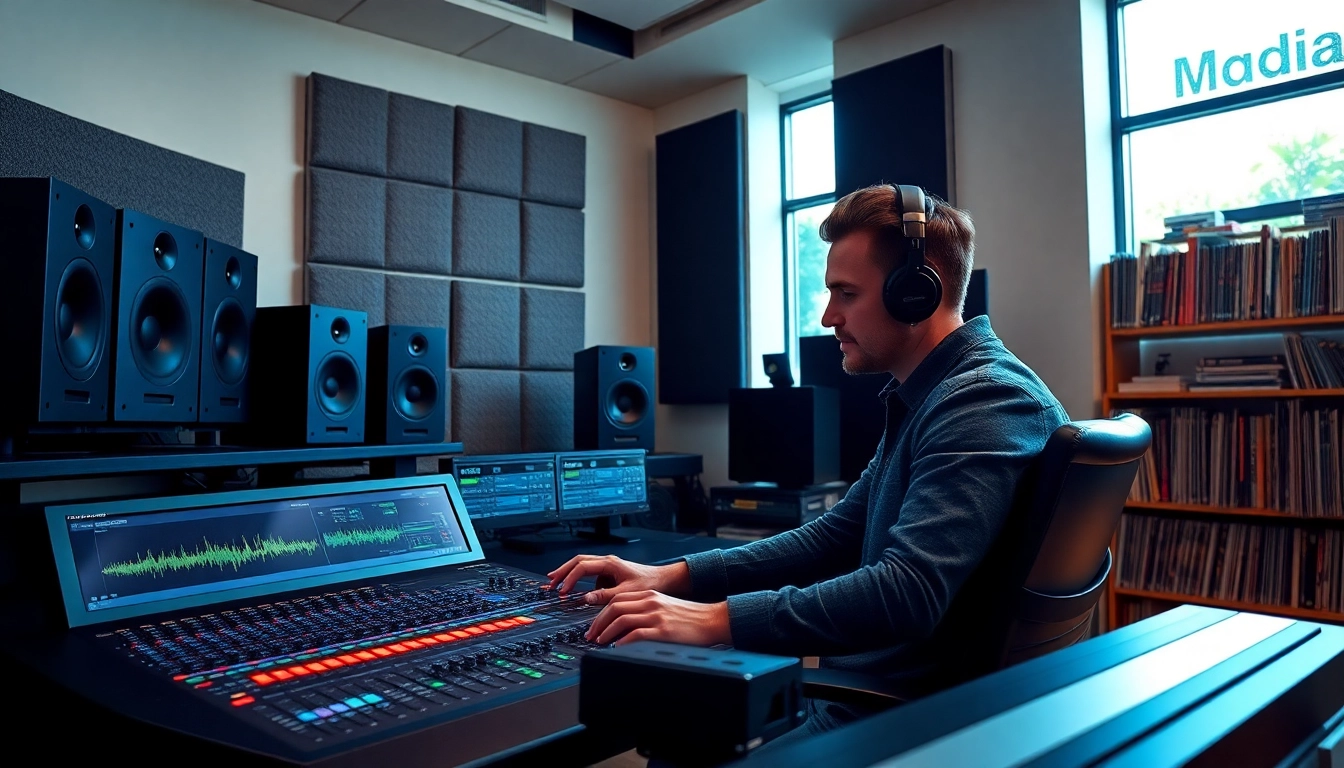
Introduction to Online Mastering
In the digital age, the accessibility of high-quality music production tools has empowered many artists and producers to take control of their sound. As part of this evolution, online mastering has emerged as a vital service for those looking to achieve a professional sound without the expenses associated with traditional mastering studios. This article explores what online mastering is, its benefits, how it stacks up against traditional methods, the step-by-step process for preparing your track, understanding key technical aspects, best practices, and frequently asked questions to help you navigate this new frontier in music production.
What is Online Mastering?
Online mastering refers to the process of preparing and transferring recorded audio from a source to a data storage device, ensuring that the music is optimized for distribution across various media platforms. Unlike traditional mastering, which often requires a physical presence in a studio with specific equipment and an experienced engineer, online mastering allows artists to upload their tracks to a platform where audio engineers apply finishing touches remotely. The result is a polished, professional-quality track that is ready for streaming, downloading, or physical media duplication.
Benefits of Online Mastering
There are many advantages of utilizing online mastering services, including:
- Cost-Effective: Compared to traditional mastering, online services typically offer more competitive pricing due to lower overhead costs.
- Convenience: You can submit your tracks from anywhere in the world, at any time, which is particularly helpful for independent artists working on tight schedules.
- Speed: Many online mastering services provide quick turnaround times, often delivering mastered tracks within days.
- Variety of Options: With numerous platforms available, you can find services tailored to fit your specific genre or style needs.
How Online Mastering Differs from Traditional Mastering
While both online and traditional mastering aim to achieve the same outcome—enhancing audio tracks—there are key distinctions:
- Location: Traditional mastering typically involves an in-person session, whereas online mastering can be completed digitally.
- Equipment: Engineers in traditional studios have access to high-end equipment that may not be available in an online environment. However, many online services utilize sophisticated software to replicate similar results.
- Workflow: Online mastering often provides a streamlined workflow, allowing artists to upload tracks and receive feedback without the need for direct interaction.
Step-by-Step Process of Online Mastering
Preparing Your Track for Online Mastering
Before you submit your track for online mastering, it’s essential to ensure that it is ready for the process. Here are some steps to follow:
- Final Mixing: Make sure your mix is balanced, with each instrument and vocal sitting correctly in the mix. The song should sound good on both headphones and speakers.
- Export Settings: Export your track in a high-fidelity format; the industry standard is WAV or AIFF files at 24-bit depth and 44.1 kHz sample rate.
- Avoid Overprocessing: Refrain from excessive compression or limiting on your final mix, as this can hinder the mastering process.
Choosing the Right Online Mastering Service
With many online mastering options available, selecting the right service can be daunting. Consider these factors:
- Reputation: Look for reviews or case studies showcasing previous work.
- Quality Samples: Evaluate their demo tracks to understand their mastering style and capabilities.
- Communication: Ensure that the service offers support and will assist you throughout the process.
- Pricing: Compare services to find a fitting option for your budget while maintaining quality.
Submitting Your Track for Mastering
After preparing your track and selecting a service, follow these general steps when submitting:
- Create an Account: Register on the platform to access their services.
- Upload Your Track: Follow the guidelines provided by the service for uploading files accurately.
- Provide Mix Notes: Include specific instructions or considerations about your mix that could assist the mastering engineer.
- Payment: Complete payment and finalize your submission.
Understanding the Technical Aspects
Essential Audio Formats for Online Mastering
The choice of audio formats during the online mastering process can significantly impact the final output. The most commonly accepted formats include:
- WAV: A widely used format that retains high quality, making it ideal for mastering.
- AIFF: Similar to WAV, it offers high-quality audio that’s often favored by Apple users.
- FLAC: A lossless compression format that maintains quality while reducing file size.
Common Terms in Online Mastering
Understanding the terminology used in online mastering can help you communicate effectively with mastering engineers. Some key terms include:
- Headroom: The space between the peak level of your audio and the maximum level allowed during mastering.
- Limiting: A process of controlling the maximum output level to prevent distortion.
- EQ: Equalization, which balances frequencies within the track to enhance overall sound.
How Audio Quality Affects Final Output
Audio quality at the mastering stage plays a critical role in the overall product. Factors affecting audio quality include:
- Bit Depth: A higher bit depth provides greater dynamic range and detail.
- Sample Rate: A higher sample rate captures more detail in the audio, making high-quality masters possible.
- Mixing Quality: The foundation of a good master lies in a well-mixed track.
Best Practices for Online Mastering
Maximizing Your Track’s Potential
To get the most out of online mastering, follow these best practices:
- Keep your mixes dynamic and leave appropriate headroom.
- Listen to your track on various sound systems to identify any areas needing improvement.
- Communicate openly with your mastering engineer about your vision for the final sound.
Working with Online Mastering Engineers
Building a rapport with your mastering engineer can lead to more satisfactory outcomes. Engaging in the following approaches can enhance collaboration:
- Provide detailed feedback on initial drafts.
- Be open to suggestions and rely on their expertise.
- Develop a brief that outlines your artistic goals and reference tracks you admire.
Checking Your Mastered Track
Once you receive your mastered track, it’s vital to perform thorough quality checks:
- Listen on Different Systems: Check how the track sounds on headphones, speakers, and in different environments.
- Check Levels: Make sure the mastered track doesn’t clip and maintains good levels on streaming platforms.
- Request Variations: If necessary, ask the mastering engineer for alternative versions for specific needs.
FAQs about Online Mastering
How long does online mastering take?
Online mastering typically takes 1 to 3 days, depending on the service and workload. It’s essential to review any timelines provided by the platform.
Can I master a track myself online?
Yes, many online platforms offer tools for self-mastering; however, professional services often yield superior results due to experienced engineers and advanced technology.
What formats should I submit for online mastering?
Common formats include WAV and AIFF, typically at a 24-bit depth and 44.1 kHz sample rate, ensuring high-quality audio for the mastering process.
Is online mastering cheaper than traditional mastering?
Yes, online mastering is generally more cost-effective; reduced overhead and a simplified process allow services to offer competitive prices.
What’s the difference between mixing and mastering?
Mixing balances individual tracks and elements within a song, while mastering polishes the final sound, ensuring it’s ready for distribution and playback across various platforms.